Amazon Product Image Requirements in 2026: Seller Guide
Amazon image rules can suppress listings when sellers ignore main image requirements. This guide covers the core rules, review steps, and image-set strategy.
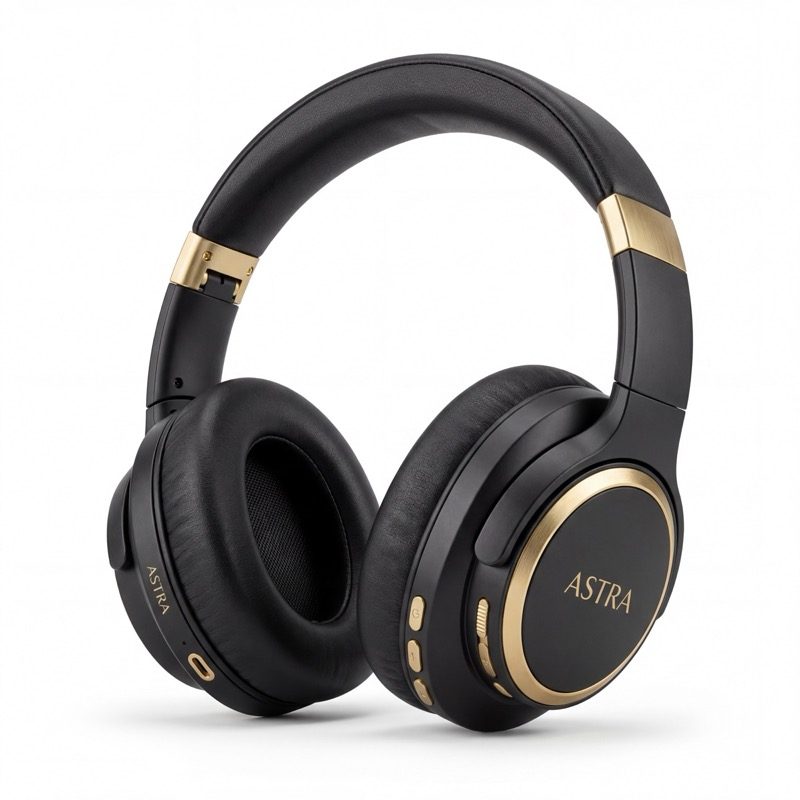
What Are Amazon's Product Image Requirements in 2026?
Amazon's product image requirements exist for one reason: consistency. Every listing in search results should look clean, professional, and easy to compare. If your images don't meet these standards, Amazon will suppress your listing from search results or reject the images entirely.
The rules apply to every product category, though some categories (like Clothing and Shoes) have additional requirements. Here's what every seller needs to know.
The core rules that apply to all images
- Pure white background on the main image (RGB 255, 255, 255)
- Product must fill at least 85% of the image frame
- Minimum 1000 pixels on the longest side (1600px or higher recommended)
- Maximum 10,000 pixels on the longest side
- Accepted formats: JPEG (.jpg), PNG, TIFF, or GIF (non-animated)
- sRGB or CMYK color profile
- No offensive or inappropriate content
- Images must accurately represent the product being sold
This guide was checked against Amazon Seller Central image guidance on June 10, 2026. Amazon can change requirements and category rules, so sellers should confirm the current rules in Seller Central before uploading final images.
Amazon Main Image Requirements
The main image is the most heavily regulated. It is the first image shoppers see in search results, and Amazon wants every search page to look uniform. Here is exactly what Amazon requires for your main image.
Mandatory main image rules
| Rule | Requirement | |------|-------------| | Background | Pure white (RGB 255, 255, 255) | | Product fill | 85% or more of the image frame | | Minimum resolution | 1000px on the longest side | | Recommended resolution | 2000px+ on the longest side (enables zoom) | | Maximum resolution | 10,000px on the longest side | | Text or graphics | Not allowed on the main image | | Logos or watermarks | Not allowed | | Badges or promo stickers | Not allowed | | Borders or colored edges | Not allowed | | Multiple products | Not allowed (unless sold as a multi-pack) | | Props or accessories | Not allowed unless included in the purchase | | Mannequins | Not allowed (except for some apparel categories) |
Why the main image matters so much
Your main image is the only thing shoppers see before they decide to click. In a grid of 20+ search results, it needs to stand out while still meeting every rule. Listings with nonconforming main images get suppressed, meaning they stop appearing in search results entirely with no warning.
Amazon's automated systems scan every main image upload. If the background isn't perfectly white, or if text is detected on the image, the system can flag and suppress your listing within hours.
Tips for a high-performing main image
Fill the frame. A product that takes up 90% or more of the image space will stand out in search results compared to products that look small and distant.
Shoot at a slight angle above eye level. This gives the product a natural, recognizable perspective. Flat, straight-on shots often look like clip art.
Use at least 2000 pixels on the longest side. This enables Amazon's zoom feature, which shoppers use frequently. Listings with zoom-enabled images see higher conversion rates.
Secondary Image Requirements
Amazon's secondary images have more flexible rules than the main image. This is where you can showcase your product's features, lifestyle context, and value proposition.
What Amazon allows on secondary images
- Lifestyle scenes: Show the product in use, in a real environment
- Infographics: Add text callouts, feature highlights, and comparison charts
- Close-up details: Zoom in on materials, textures, or quality indicators
- Size references: Include hands, coins, or common objects for scale
- Multiple angles: Show the back, sides, top, and bottom
- Package contents: Display everything included in the box
- Comparison graphics: Compare features against generic alternatives (without naming competitors)
What Amazon prohibits on secondary images
Even though secondary images are more flexible, some rules still apply.
- No Amazon logos or trademarks
- No customer reviews or star ratings shown on the image
- No pricing information or promotional text like "Sale" or "Best Deal"
- No time-sensitive language like "Limited Time Offer"
- No links to external websites
- Images must still be high quality (no blurry, pixelated, or poorly lit photos)
- No offensive or misleading content
The recommended secondary image strategy
Strong Amazon listings usually follow a consistent pattern across the available gallery.
Slot 1: Clean main image (white background, product only) Slot 2: Lifestyle shot showing the product in use Slot 3: Feature infographic with 3 to 5 key callouts Slot 4: Size and scale reference image Slot 5: Close-up detail shot highlighting quality Slot 6: Benefits infographic focused on outcomes, not specs Slot 7: Package contents or comparison graphic
This order is not random. It follows the buyer's natural decision process: attention, context, features, fit, quality, value, confidence.
How Many Images Does Amazon Allow?
Many standard Amazon product pages show up to 7 primary gallery slots. Availability can vary by category, layout, and program access. You also get additional image placements through A+ Content if you are Brand Registered.
Why you should fill all 7 slots
Every empty slot is a missed opportunity to answer a buyer's question or address a concern. Use the gallery to cover context, features, size, quality, contents, and proof-sensitive claims.
Think of each image slot as a mini sales pitch. Slot 2 builds desire. Slot 3 communicates value. Slot 4 eliminates sizing worries. Slot 5 proves quality. Slots 6 and 7 close the deal.
A+ Content adds even more image space
If you're enrolled in Amazon Brand Registry, A+ Content gives you additional modules for images and rich text below the fold. This typically includes.
- Hero banner images (wide format, 970 x 600px)
- Comparison tables with product images
- Feature highlight modules with supporting photos
- Brand story sections with lifestyle imagery
Between the primary gallery and A+ Content, strong listings often use many more visuals than the main image alone. More images can answer more buyer questions, reduce uncertainty, and support better expectation-setting.
Amazon Image Size and Format Specifications
Here is a complete reference table for Amazon's image technical specifications in 2026.
| Specification | Requirement | |--------------|-------------| | Minimum dimension | 1000px on the longest side | | Recommended dimension | 2000px+ on the longest side | | Maximum dimension | 10,000px on the longest side | | Accepted file formats | JPEG (.jpg), PNG, TIFF, GIF (non-animated) | | Preferred format | JPEG (smallest file size, fastest loading) | | Color profile | sRGB (recommended) or CMYK | | Aspect ratio | 1:1 (square) recommended, but not required | | File size limit | 10MB per image |
A note on aspect ratio
Amazon displays images at a 1:1 (square) ratio in search results and on mobile. If you upload a rectangular image, Amazon will add white padding to make it square in the thumbnail view. For this reason, square images at 2000 x 2000 pixels are the most common choice among professional sellers.
File format recommendations
JPEG works best for most product images. It offers the smallest file size with acceptable quality, which means faster loading times for shoppers. Use PNG only when you need true transparency (rarely needed for Amazon). TIFF files are accepted but unnecessarily large for web use.
Can You Use AI-Assisted Images on Amazon?
Amazon's published image rules focus on image content: what the image shows, whether it accurately represents the product, and whether it complies with technical and category requirements.
What Amazon's policy says
AI-assisted images should be treated like any other product image. They need to meet the technical requirements, accurately represent the product, avoid misleading claims, and pass seller review before upload.
Amazon has also offered AI-powered creative tools for advertisers and sellers, but that does not remove the seller's responsibility to review accuracy and compliance.
The rules that still apply
AI-generated images must still follow every rule listed above. The product itself must be accurately represented. You cannot use AI to.
- Make the product appear larger or different from reality
- Add features the product doesn't have
- Generate misleading lifestyle contexts (such as implying a use case the product isn't designed for)
- Create fake certifications, badges, or endorsements
If an AI-assisted image accurately represents the real product and follows Amazon's current rules, it can be prepared for seller review.
Why AI images are becoming the standard
Professional product photography costs $300 to $700+ per product for a full listing image set. AI tools can generate a reviewed ecommerce image set for a fraction of the cost, in minutes instead of weeks. For sellers launching multiple products or testing new markets, this changes the economics entirely.
ProdVue for Amazon sellers is built specifically for this workflow. Upload one photo of your product, and ProdVue generates reviewable main images, lifestyle shots, infographics, and detail images for Amazon listing review.
How to Create Amazon Images for Review
Here is a straightforward process for creating Amazon images that are ready for seller review.
Step 1: Take one good photo of your product
You don't need a studio. Use your smartphone in natural light near a window. Place the product on a clean surface. Take the photo straight on or at a slight downward angle. Avoid harsh shadows.
This single reference photo is the foundation. It doesn't need to be perfect. It just needs to clearly show your product from a recognizable angle.
Step 2: Generate your full image set
Upload your reference photo to ProdVue. The tool analyzes your product and generates a complete set of Amazon images for review.
- Clean main image on pure white background with proper fill
- Lifestyle shots showing the product in realistic environments
- Feature infographics with clear, readable callouts
- Detail close-ups highlighting quality and craftsmanship
- Size reference images for scale context
- Comparison and benefits graphics for persuasion
Each image is generated at high resolution and should be reviewed before upload.
Step 3: Review and upload to Seller Central
Review each generated image to make sure the product is accurately represented. Then upload them to your listing in Seller Central, filling the available gallery slots for that product type.
The process can take minutes instead of days or weeks with traditional photography. View examples of images created with this workflow.
Common Amazon Image Rejection Reasons
Amazon rejects or suppresses images more often than most sellers realize. Here are the most common reasons and how to avoid each one.
1. Background isn't pure white
This is the number one rejection reason. Even slightly off-white or light gray backgrounds will trigger Amazon's automated detection. The background must be exactly RGB 255, 255, 255. No gradients, no shadows on the background, no subtle color casts.
How to avoid it: Use a tool that checks for pure white background removal, or manually check the background color in any image editor by sampling the corners.
2. Product doesn't fill enough of the frame
Amazon requires the product to fill at least 85% of the image. Photos taken from too far away, or with too much empty space around the product, will be flagged.
How to avoid it: Crop your image so the product fills the frame. Leave just a thin margin of white around the edges.
3. Text or graphics on the main image
Any text, badges, "Best Seller" stickers, or promotional graphics on the main image will cause rejection. This includes brand logos placed on the image itself (the logo on the product packaging is fine).
How to avoid it: Save all text and callouts for secondary images. Keep the main image clean.
4. Props or lifestyle elements in the main image
The main image should show only the product. No hands holding it, no surfaces beneath it, no decorative elements. Just the product on white.
How to avoid it: Use lifestyle elements only in secondary images, never in the main image.
5. Image resolution too low
Images below 1000 pixels on the longest side will be rejected. Images below 1600 pixels won't qualify for the zoom feature, which hurts conversion rates.
How to avoid it: Always upload images at 2000 pixels or larger on the longest side.
6. Blurry or poorly lit images
Amazon's quality checks flag images that are visibly blurry, noisy, or underexposed. Low-quality images also hurt your conversion rate even if they aren't rejected.
How to avoid it: Use natural light or proper studio lighting. If shooting with a smartphone, clean the lens and hold steady (or use a small tripod).
7. Showing product variants in a single image
If you sell a product in multiple colors or sizes, the main image should show only the variant that matches the listing. Showing all colors in one image violates the main image rules.
How to avoid it: Create separate parent/child listings for each variant, each with its own main image showing that specific variant.
How Much Does Amazon Product Photography Cost?
The cost of creating Amazon product images depends on the method you choose.
| Method | Cost per Product | Images | Turnaround | |--------|-----------------|--------|------------| | DIY (smartphone only) | $0 to $15 | 1 to 3 | Same day | | AI product image tools | About €16.60-€19.80/product on ProdVue plans | 8 to 12 | Minutes + review | | Freelance photographer | $150 to $400 | 5 to 10 | 3 to 7 days | | Professional studio | $300 to $700+ | 7 to 15 | 1 to 2 weeks |
DIY photography
Free or nearly free, but limited. You can create a passable main image with a smartphone and white backdrop, but lifestyle shots, infographics, and detail images require skills and tools most sellers don't have.
AI product image tools
The fastest and most cost-effective option for many sellers. Upload one photo, receive a complete set of Amazon images for review. ProdVue generates multiple image types from a single reference photo, starting at a fraction of the cost of many studio sessions.
Professional photography
The highest quality option, but also the most expensive and slowest. Best suited for premium brands with large budgets and small product catalogs. For sellers with dozens of products or tight launch timelines, the cost and turnaround time can be prohibitive.
For a detailed breakdown of every option, read our full guide: How Much Does Product Photography Cost in 2026?
Check out ProdVue pricing to see how much a complete Amazon image set costs with AI.
Summary: Your Amazon Image Checklist
Before you publish any Amazon listing, run through this checklist.
- [ ] Main image has a pure white background (RGB 255, 255, 255)
- [ ] Product fills 85% or more of the main image frame
- [ ] All images are at least 2000px on the longest side
- [ ] Main image contains no text, badges, logos, or borders
- [ ] Main image shows only the product (no props, no hands, no surfaces)
- [ ] Available gallery slots are filled with distinct buyer-question images
- [ ] Secondary images include lifestyle, infographic, and detail shots
- [ ] Images are saved as JPEG in sRGB color profile
- [ ] Every image accurately represents the actual product
- [ ] File sizes are under 10MB each
Meeting Amazon's image requirements isn't just about avoiding rejection. It's about building trust, answering buyer questions before they're asked, and converting browsers into customers.
Need Amazon product images prepared for review in minutes instead of weeks? See how ProdVue works for Amazon sellers, compare Amazon listing image generation, or read the Amazon Seller Guide.
Official Amazon sources to confirm before upload: Seller Central product images and technical image file requirements.